AI Integration · Developer Tools
Getting Claude-Pilled: Why Claude Code Is Going Viral and What It Actually Does
Claude Code by Anthropic went viral in January 2026. Developers and non-developers alike are getting Claude-pilled. Here is an honest breakdown of what it does, how it compares, and whether the hype holds up.

Anurag Verma
20 min read

Sponsored
Something strange happened in January 2026. A command-line tool made by Anthropic started showing up everywhere — not just in developer circles, but on mainstream Twitter, YouTube, and even in essays by people who had never written a line of code in their lives. The phrase “getting Claude-pilled” entered the lexicon. And for once, the hype is at least partially deserved.
I have been using Claude Code daily for the past few weeks. Not as a novelty, not to make viral content, but as part of my actual workflow — shipping features, debugging production issues, writing tests, refactoring code I did not want to touch. This post is an honest account of what Claude Code is, what it does well, where it falls short, and whether you should care.
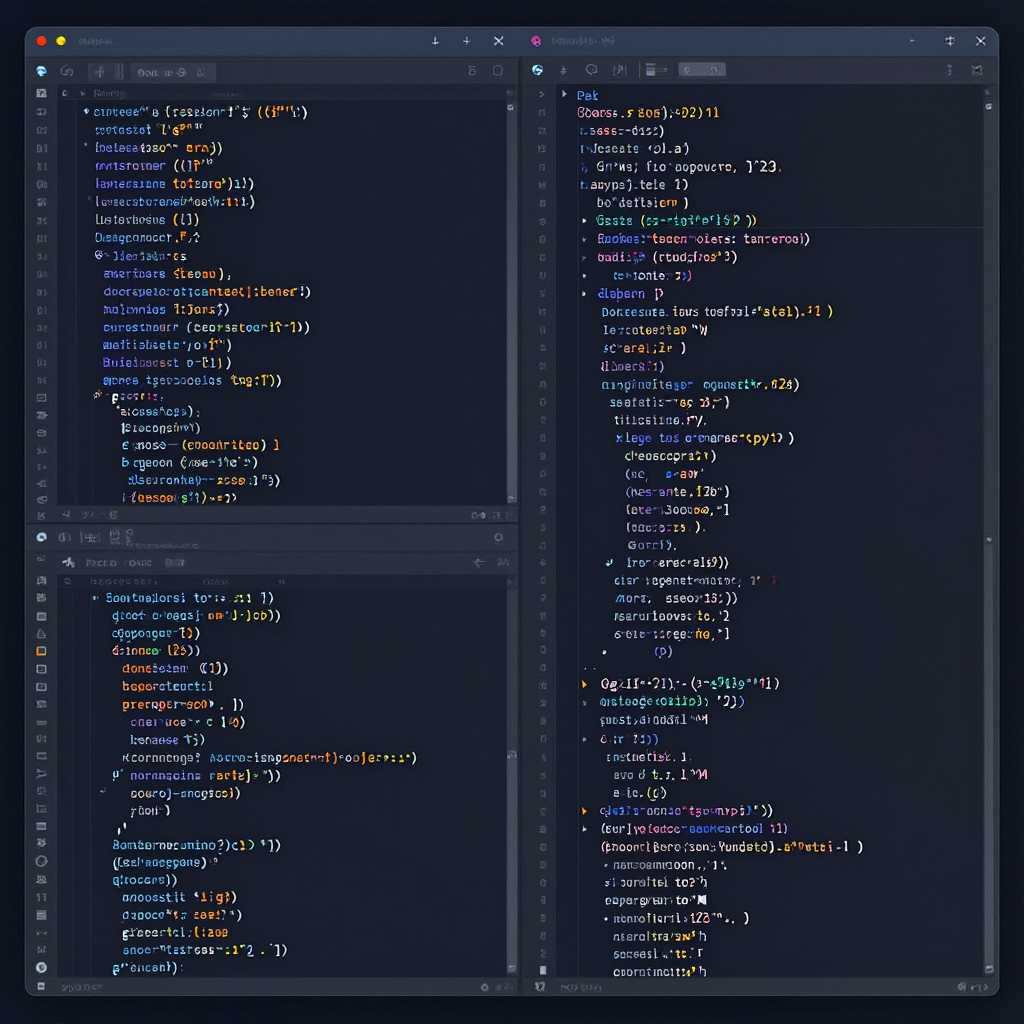 Claude Code running in the terminal, reading a codebase and executing a multi-file refactor
What Does “Getting Claude-Pilled” Even Mean?
The term started as a half-joke on Twitter/X. Developers would share before-and-after screenshots — a task that used to take them two hours, done in ten minutes with Claude Code. The screenshots spread. Then the videos. Then the threads. And then something unexpected happened: non-technical people started trying it.
The most notable example is Jasmine Sun, a writer with no programming background, who documented her experience using Claude Code to build a Windows XP-themed YouTube transcription app. She was not a developer. She did not know what a CLI was before this. She went from zero to a functional, deployed application by describing what she wanted in plain English and letting Claude Code do the rest.
Her thread went viral because it crystallized something a lot of people were feeling but had not articulated: the barrier between “having an idea” and “building the thing” had gotten dramatically thinner. Not gone — we will get to that — but thinner.
The phrase “Claude-pilled” captures the moment of realization. You try it, something clicks, and you suddenly understand what all the AI coding hype was actually pointing toward. It is not autocomplete. It is not a chatbot that spits out code snippets. It is something closer to a junior developer that lives in your terminal and never sleeps.
“I built an entire app in a weekend. I don’t know how to code. I’m not sure how to feel about this.” — Jasmine Sun, January 2026
What Claude Code Actually Is
Let me be precise, because there is a lot of confusion here.
Claude Code is a command-line interface (CLI) tool made by Anthropic. You install it, open your terminal, navigate to a project directory, and type claude. That is it. No IDE extension. No browser tab. No GUI. Just your terminal.
What makes it different from chatting with Claude in a browser is that Claude Code has agentic capabilities. It can:
- Read your entire codebase — every file, every directory, the full project structure
- Make changes to files — create, edit, delete, rename
- Run shell commands — install packages, run tests, start dev servers
- Handle git operations — stage, commit, create branches, even draft pull requests
- Execute multi-step plans — break a complex task into steps and execute them sequentially
- Recover from errors — if a test fails after a change, it reads the error, figures out what went wrong, and fixes it
This is fundamentally different from copy-pasting code from a chat window. Claude Code operates inside your development environment. It sees what you see. It runs what you run.
Installation
Getting started is straightforward:
# Install via npm (requires Node.js 18+)
npm install -g @anthropic-ai/claude-code

# Navigate to your project
cd /path/to/your/project

# Launch Claude Code
claude
You need an Anthropic API key or a Claude Pro/Max subscription. Once authenticated, you are in an interactive session where you can give instructions in plain English.
A Real Session Example
Here is what an actual Claude Code session looks like. No cherry-picking — this is the kind of thing I use it for daily:
$ cd ~/projects/my-saas-app
$ claude

> I need to add rate limiting to our API endpoints.
> We use Express with TypeScript. Rate limits should be
> configurable per endpoint and stored in Redis.
> Include tests.

Claude Code:
  Reading project structure...
  Found Express app in src/app.ts
  Found existing middleware pattern in src/middleware/
  Found Redis client configured in src/lib/redis.ts
  Found test setup using Vitest in tests/

  Plan:
  1. Create src/middleware/rateLimit.ts with configurable limiter
  2. Create src/config/rateLimits.ts for per-route configuration
  3. Apply middleware to existing routes in src/routes/
  4. Add tests in tests/middleware/rateLimit.test.ts
  5. Run tests to verify

  Executing...

  Created src/middleware/rateLimit.ts
  Created src/config/rateLimits.ts
  Modified src/routes/auth.ts (added rate limit)
  Modified src/routes/api.ts (added rate limit)
  Created tests/middleware/rateLimit.test.ts

  Running: npm run test

  Tests: 14 passed, 0 failed
  All changes complete.
Notice what happened there. Claude Code did not just generate a file and hand it to me. It read my existing project, understood the patterns I was already using (my middleware structure, my Redis setup, my test framework), wrote code that fit those patterns, and then ran the tests itself to verify everything worked.
That is the difference. That is why people are losing their minds.
How Claude Code Compares to Everything Else
Let me be fair here. Claude Code is not the only AI coding tool, and it is not the best at everything. Here is an honest comparison with the other major players.
The Landscape in January 2026
| Tool | Type | Best For | Weakness |
|---|---|---|---|
| Claude Code | CLI agent | Complex multi-file tasks, full codebase reasoning | No inline suggestions, terminal-only, cost |
| Cursor | IDE (VS Code fork) | Flow-state coding, visual diffs, Composer mode | VS Code ecosystem only, learning curve |
| GitHub Copilot | IDE extension | Quick inline completions, enterprise teams | Shallow context, generic suggestions |
| Windsurf | IDE (VS Code fork) | Cascading multi-file edits, agent mode | Newer, smaller community, still maturing |
| Aider | CLI agent (open source) | Git-integrated editing, model-agnostic | Less polished UX, manual setup |
What Each Tool Does Best
GitHub Copilot is the thing you leave running in the background. It watches you type and suggests completions. It is fast, unobtrusive, and good for boilerplate. But it has shallow context — it mostly sees the current file and a few related ones. Think of it as autocomplete on steroids.
Cursor is the most complete IDE experience. Its Composer mode lets you describe a change in natural language and it edits multiple files with a visual diff you can accept or reject. It is excellent for refactoring when you want to stay in your editor and see exactly what changed. The inline Cmd+K editing is genuinely fast.
Windsurf (by Codeium) takes a similar approach to Cursor but adds “Cascade” — an agent mode that can make sequential, dependent changes across files. It is newer and rougher around the edges, but the agentic flow is promising.
Claude Code is the odd one out because it is terminal-only. No syntax highlighting in a GUI. No visual diffs. No inline suggestions as you type. What it has instead is depth. It reads your entire codebase, reasons about architecture, executes multi-step plans, and runs commands. It is the tool you reach for when the task is too complex for autocomplete.
Head-to-Head: The Same Task, Four Tools
I gave each tool the same task: “Add pagination to the /api/posts endpoint, including query parameters, database query updates, and response metadata.”
| Criteria | Claude Code | Cursor | Copilot | Windsurf |
|---|---|---|---|---|
| Understood existing patterns | Excellent | Good | Fair | Good |
| Multi-file changes | Excellent | Excellent | Poor | Good |
| Test generation | Excellent | Good | Fair | Fair |
| Ran and verified tests | Yes | No | No | Partial |
| Time to complete | ~3 min | ~5 min | ~15 min (manual) | ~6 min |
| Required manual fixes | 0 | 1 | 4 | 2 |
Claude Code won on this specific task because it could execute the full plan end-to-end without me intervening. But here is the catch: for quick inline edits while I am in flow, I still reach for Cursor or Copilot. Claude Code is not a replacement for those tools. It is a different category.
Pricing Comparison
| Tool | Free Tier | Pro/Paid | Heavy Usage |
|---|---|---|---|
| Claude Code | Limited (with free API credits) | $20/mo (Pro) / $100/mo (Max) | Pay-per-token beyond limits |
| Cursor | 2000 completions/mo | $20/mo (Pro) | $40/mo (Business) |
| GitHub Copilot | Free for students/OSS | $10/mo (Individual) | $19-39/mo (Business/Enterprise) |
| Windsurf | Free tier available | $10/mo (Pro) | $30/mo (Teams) |
Claude Code with a Max subscription ($100/month) is the most expensive option by a wide margin. With pay-per-token usage on the API, heavy sessions can run $5-20 per day if you are not careful. I will talk about cost management later.
Why It Went Viral — Specifically Now
Claude Code has existed since mid-2025. So why did it blow up in January 2026? A few things converged:
1. The model got significantly better. Claude’s underlying models (Sonnet 3.5 and the newer versions) improved dramatically at code generation, planning, and tool use. The gap between “interesting demo” and “actually useful in production” closed.
2. Agentic execution matured. Earlier versions of Claude Code would sometimes get stuck in loops, make nonsensical file edits, or fail to recover from errors. The January 2026 version handles complex multi-step tasks with noticeably more reliability.
3. The Jasmine Sun effect. When a non-programmer builds a complete app and documents the process, it reaches audiences that developer tool announcements never would. Her thread was the spark, but it caught fire because thousands of people tried it and had similar experiences.
4. Developer fatigue with IDE-based tools. Some developers were growing frustrated with the limitations of autocomplete-style tools. Claude Code offered a fundamentally different interaction model — describe what you want, let the agent figure it out — that felt like a genuine step forward.
5. Word of mouth is organic. Nobody is getting paid to tweet about Claude Code. The viral spread is genuine, which makes it more credible and more contagious.
What Claude Code Is Actually Good At
After weeks of daily use, here are the tasks where Claude Code genuinely shines:
1. Understanding Unfamiliar Codebases
This might be its single best use case. Drop into a project you have never seen before:
$ cd ~/inherited-legacy-project
$ claude

> Explain the architecture of this project.
> What are the main modules, how do they
> communicate, and where are the entry points?
Claude Code reads the entire project, traces imports, follows data flows, and gives you a structured overview. I have used this to onboard onto three different client codebases this month. What used to take a full day of reading code now takes thirty minutes.
2. Multi-File Refactoring
This is where Claude Code dominates over IDE-based tools:
> Our authentication is using cookies with express-session.
> Migrate to JWT-based auth. Update the middleware, all
> protected routes, the login/logout handlers, and the tests.
> Keep the session-based code commented out for rollback.
Claude Code will touch 10-20 files, maintain consistency across all of them, and run the test suite when it is done. This is painful to do manually and nearly impossible with an autocomplete tool.
3. Writing Tests for Existing Code
> Write comprehensive tests for src/services/billing.ts.
> Cover edge cases: expired cards, insufficient funds,
> currency conversion, partial refunds.
> Match the testing patterns used in the existing test files.
Claude Code reads the implementation, reads your existing tests to understand the patterns, and writes tests that fit. Not generic tests — tests that use your mocking patterns, your assertion style, your test utilities.
4. Debugging Complex Issues
> Users are reporting that the checkout flow intermittently
> fails with a 500 error. The error logs show a
> "connection refused" from the payment service.
> Investigate the code and identify possible causes.
Claude Code traces the flow through your codebase, identifies potential race conditions, connection pool issues, or timeout problems, and suggests specific fixes with file paths and line numbers. It is like having a second pair of eyes that has read every file in your project.
5. Boilerplate and Scaffolding
> Create a new API module for managing team invitations.
> Follow the same patterns as the existing user module.
> Include the route, controller, service, model, validation,
> and tests. Use the same error handling approach.
Claude Code reads your existing modules, mirrors the patterns, and scaffolds the new module in minutes. This is the kind of grunt work that eats hours.
Where Claude Code Falls Short — An Honest Take
I am not here to sell you anything. Claude Code has real limitations, and you should know about them before you build your workflow around it.
1. Hallucinations Are Still Real
Claude Code will sometimes confidently use an API that does not exist, import a package that is not installed, or reference a function with the wrong signature. It is less frequent than a year ago, but it still happens — especially with newer libraries or less common frameworks.
# This actually happened to me:
> Add WebSocket support using the ws library

# Claude Code generated code using ws.createServer()
# with options that don't exist in the current version.
# The code looked perfect but failed at runtime.
The lesson: Always review generated code. Always run the tests. Never merge without looking at the diff.
2. Cost Can Spiral
Claude Code uses tokens every time it reads a file, writes a file, or runs a command. A complex task that involves reading 50 files and making changes across 20 of them can burn through significant token budgets.
On the API, I have had single sessions cost $8-15 for large refactoring tasks. If you are doing this multiple times a day, you are looking at $200-400/month — not pocket change.
Cost management tips:
# Use /compact to compress conversation context
> /compact

# Be specific about which files to look at
> Look at src/routes/auth.ts and src/middleware/auth.ts only.
> Do not read other files unless necessary.

# Use Claude Pro ($20/mo) or Max ($100/mo) instead of
# raw API for predictable billing

# For simple tasks, use a cheaper tool (Copilot, Cursor)
# Save Claude Code for the complex stuff
3. It Can Do Too Much
This sounds like a weird complaint, but hear me out. Claude Code can run arbitrary shell commands. It can delete files. It can make git commits. It can install packages. If you blindly approve everything it suggests, you might end up with unwanted changes.
I have seen Claude Code:
- Install a package I did not want because it thought it was the best solution
- Create files in directories I did not intend
- Make a git commit before I had reviewed the changes
Always review the plan before approving execution. Claude Code asks for permission before running commands, and you should actually read what it is about to do.
4. No Inline Editing
If you are writing code and want a quick suggestion for the next line, Claude Code is the wrong tool. It is not embedded in your editor. You have to switch to a terminal, type a request, wait for the response, and then go back to your editor.
For flow-state coding, Cursor or Copilot are still better. Claude Code is for when you step back from the editor and say, “Okay, I need to think about this differently.”
5. Over-Reliance Risk
This is the one I worry about most. When a tool is this capable, it is tempting to delegate everything to it. I have caught myself reaching for Claude Code to write a function I could have written in two minutes. That is not productivity — that is atrophy.
Junior developers are especially at risk here. If you use Claude Code to write all your code without understanding what it produces, you are not learning. You are building on a foundation you do not control.
My rule: If I could write it myself in under ten minutes, I write it myself. Claude Code is for the tasks that would take an hour or more, or tasks where I need a second perspective.
Practical Guide: Getting the Most Out of Claude Code
Setup for Success
First, create a CLAUDE.md file in your project root. This is Claude Code’s project context file — it reads this first and uses it to understand your project:
# Project Context

## Overview
This is a SaaS application for team project management.
Built with TypeScript, Express, PostgreSQL, and React.

## Architecture
- Backend: Express API in src/api/
- Frontend: React app in src/client/
- Database: PostgreSQL with Prisma ORM
- Tests: Vitest for backend, Playwright for E2E

## Conventions
- Use functional components with hooks (no class components)
- All API responses use the ApiResponse<T> wrapper
- Error handling uses the AppError class hierarchy
- Database queries go through the repository pattern
- Tests follow arrange-act-assert pattern

## Important Notes
- Never modify src/config/production.ts directly
- The payment module uses Stripe SDK v14
- Authentication uses JWT with refresh tokens
- All dates are stored in UTC
This file dramatically improves Claude Code’s output quality because it does not have to guess at your conventions.
Effective Prompting Patterns
Bad prompt:
> Fix the bugGood prompt:
> The /api/teams/:id/members endpoint returns a 500 error
> when the team has more than 100 members. The error is
> "payload too large" from Express. Look at the route
> handler in src/routes/teams.ts and the service in
> src/services/teamService.ts. Add pagination to fix this.
Key principles:
- Be specific about the problem — what is broken, where it breaks, what the error says
- Point to relevant files — Claude Code can find things on its own, but guiding it saves time and tokens
- State the expected outcome — what should happen when the fix is applied
- Mention constraints — “do not change the public API shape” or “maintain backward compatibility”
The Hybrid Workflow
Here is how I actually work in January 2026, using multiple tools together:
Morning: Planning and Architecture
  Claude Code: "Review the current auth implementation
    and suggest improvements for security and performance"
  Read the analysis, discuss tradeoffs
  Agree on a plan

Mid-morning: Implementation
  Cursor: Use Composer for the initial implementation
    across multiple files
  Copilot: Fills in function bodies as I type
  Manual: Write the tricky parts myself
  Claude Code: "Review what I've written in src/auth/
    and check for security issues"

Afternoon: Testing and Refinement
  Claude Code: "Write integration tests for the new
    auth flow covering all edge cases"
  Claude Code: "The token refresh test is failing,
    debug it"
  Manual: Final review, cleanup, commit

End of day: Documentation
  Claude Code: "Update the API docs to reflect the
    new auth endpoints"
  Manual: Review and adjust tone
No single tool does everything. The skill is knowing when to reach for which one.
Command Reference
Some useful Claude Code commands you should know:
# Start a session
claude

# Start with a specific task (non-interactive)
claude -p "Explain the architecture of this project"

# Continue a previous session
claude --continue

# Resume a specific session
claude --resume

# Compact the context to save tokens
> /compact

# Clear and start fresh
> /clear

# Check token usage
> /cost
Configuration Tips
Claude Code respects a few environment settings that can improve your experience:
# Set your preferred model
export ANTHROPIC_MODEL="claude-sonnet-4-20250514"

# For large projects, increase the timeout
export CLAUDE_CODE_TIMEOUT=300

# Enable verbose logging for debugging
claude --verbose
You can also create a .claude/settings.json in your project for per-project configuration:
{
  "model": "claude-sonnet-4-20250514",
  "permissions": {
    "allow_shell_commands": true,
    "allow_file_writes": true,
    "require_approval": true
  },
  "context": {
    "ignore_patterns": [
      "node_modules",
      "dist",
      ".next",
      "coverage"
    ]
  }
}
The Bigger Picture: What This Means for Software Development
The fact that a non-technical person can build and deploy a functional application using Claude Code is genuinely significant. Not because it means “developers are obsolete” — that take is lazy and wrong — but because it changes who can participate in building software.
What Changes
Prototyping gets radically faster. Product managers, designers, and founders can build working prototypes to test ideas before involving the engineering team. This is net positive for everyone.
The definition of “developer” expands. People who understand problems deeply but cannot write code now have a path to building solutions. Domain experts in medicine, law, education, and finance can create tools tailored to their specific needs.
Senior developers become more valuable, not less. Someone needs to review the AI-generated code, architect the systems, make security decisions, and handle the edge cases that AI cannot. The demand for experienced judgment goes up, not down.
What Does Not Change
Understanding still matters. Claude Code can write the code, but you need to understand what it wrote. If you cannot read the output, you cannot maintain it, debug it, or extend it when Claude Code is not available.
Production systems still need engineering. Jasmine Sun’s Windows XP YouTube app is a cool demo. A production system serving millions of users with five-nines uptime is a different universe. AI tools accelerate individual tasks; they do not replace systems thinking.
Security is still your responsibility. Claude Code does not audit its own output for vulnerabilities. SQL injection, XSS, authentication flaws — these still require human expertise to catch and prevent.
My Honest Take
I think Claude Code is the most significant developer tool released since VS Code. Not because it is perfect — it is not — but because it changes the interaction model from “AI suggests, human types” to “human describes, AI executes.” That is a meaningful shift.
But I also think the “Claude-pilled” discourse is running a bit hot. The tool is impressive within its domain. It is not magic. It makes mistakes. It costs money. It requires skill to use effectively. And the gap between “built a demo app” and “shipped production software” remains enormous.
The developers who will benefit most are the ones who treat Claude Code as a powerful tool in their toolkit — not as a replacement for thinking. Use it for the boring stuff. Use it for the complex stuff. But keep your brain engaged. The moment you stop understanding what your codebase does is the moment the tool becomes a liability instead of an asset.
Resources
- Anthropic: Claude Code Documentation
- The Verge: “Getting Claude-Pilled” Is the Latest AI Obsession
- Jasmine Sun’s Viral Thread on Building with Claude Code
- Ars Technica: Claude Code and the Rise of AI Coding Agents
- Anthropic Blog: Claude Code Updates January 2026
- GitHub: Claude Code Repository
- CODERCOPS: AI Coding Assistants 2026 Guide
Trying to figure out how AI coding tools fit into your team’s workflow? Contact CODERCOPS — we help development teams adopt AI tools like Claude Code, Cursor, and Copilot without the hype and without the risk.
Sponsored
More from this category
More from AI Integration
 R.01
R.01 Document AI for Agencies: Extracting Structure from PDFs, Forms, and Contracts
 R.02
R.02 AI Video Generation in 2026: What Agencies Need to Know Before Pitching It to Clients
 R.03
R.03 Browser-Use Agents: Automating the Web When APIs Don't Exist
Sponsored
Discussion
Join the conversation.
Comments are powered by GitHub Discussions. Sign in with your GitHub account to leave a comment.
Sponsored